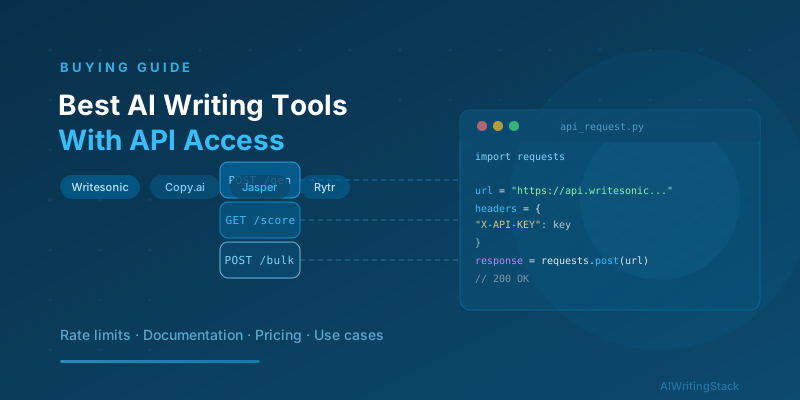
Best AI Writing Tools With API Access for Developers
Which AI writing tools offer real developer APIs — pricing, rate limits, documentation quality, and use cases for programmatic content and CMS integration.
Key Takeaways
- Writesonic and Copy.ai offer the most usable developer APIs with reasonable rate limits and documented endpoints
- Jasper's API is available but limited to higher-tier plans — budget $99+/month before you can build against it
- Rytr's API is the most affordable entry point for programmatic content at scale
- API pricing models vary significantly — per-character, per-word, and per-request all have different cost structures for high-volume use
- Most AI writing tool APIs are wrappers around foundation models — evaluate the abstraction layer, not just the underlying model
Most AI writing tools are designed for humans sitting at a browser. The pricing is per seat, the interface is a document editor, and the workflows assume someone is clicking through them manually. If you’re a developer who wants to generate product descriptions at scale, automate blog content into a CMS, or build an internal writing assistant, that model doesn’t work.
The tools covered here offer actual API access — endpoints you can call programmatically, with documentation that tells you what to expect, rate limits you can plan around, and pricing that makes sense at volume.
What to Evaluate in an AI Writing API
Before choosing a tool based on API availability, get clear on what your use case actually requires:
Rate limits — What’s the requests-per-minute ceiling? For batch content generation (e.g., generating 10,000 product descriptions over a weekend), you need to understand both burst limits and sustained throughput.
Pricing model — APIs price differently. Some charge per word or character generated. Others charge per API call regardless of output length. Others bundle API access into subscription tiers. A per-word model is predictable for long-form; per-call is better for short, variable-length content.
Endpoint flexibility — Can you specify tone, format, length, and output structure? Or does the API return freeform text with no control over shape? For CMS integration, structured output matters.
Documentation quality — This is underrated. Poorly documented APIs waste developer time. Look for working code examples, clear error codes, sandbox environments, and active changelog updates.
Authentication and security — API key management, IP allowlisting, and rate limit headers all matter for production deployments.
1. Writesonic API — Best Developer Experience
Writesonic offers one of the more mature developer APIs in this space. The documentation covers authentication, available endpoints (article writer, product descriptions, social copy, landing page sections, and more), parameter options, and response formats. Code examples are provided in Python, JavaScript, and curl.
Key endpoints:
/generatefor general-purpose content/article-writerfor structured long-form generation/product-descriptionsoptimized for e-commerce/landing-page-contentfor conversion copy
Rate limits: The default rate limit is 60 requests per minute on the Individual plan. Agency and enterprise plans offer higher limits on request.
Pricing: API access is included in the Individual plan ($20/month) for limited usage. The Agency plan ($99/month) gives substantially higher API quotas. For high-volume use, Writesonic also offers custom API pricing.
Best for: E-commerce teams generating product copy at scale, content agencies automating brief-to-draft workflows, developers building internal writing tools.
One practical limitation: some of the more powerful article writer endpoints require more credits per call. Budget carefully if you’re generating long-form content programmatically. Our real cost of AI writing tools breakdown is useful context here.
2. Copy.ai API — Best for Marketing Workflow Automation
Copy.ai launched its API with a specific focus on marketing automation use cases. The endpoints are organized around marketing templates — email subject lines, ad copy variants, blog intros, call-to-action text, and social captions. That template structure makes it easier to get consistent outputs without heavy prompt engineering.
Key capabilities:
- Template-based generation for consistent output format
- Workflow automation via API (trigger multi-step content pipelines)
- Brand voice parameters per API call
- Batch request support
Rate limits: Up to 60 requests/minute on standard plans. Enterprise tier removes the cap.
Pricing: Copy.ai’s API is available on Pro ($49/month) and Team plans. The Team plan at $249/month is where you get team-level API access for building internal tools. API-only pricing is available for high-volume customers — contact their sales team.
Best for: Marketing ops teams building internal content automation tools, developers integrating AI copy generation into existing marketing platforms, agencies running multi-channel content workflows.
Documentation note: Copy.ai’s API docs are solid but the changelog is inconsistently updated. Test endpoints in staging before relying on them in production, particularly for newer features.
3. Jasper API — Best Quality, Higher Cost Floor
Jasper AI offers API access, but the entry point is higher than most competitors. API access is restricted to the Business plan and above, which starts at $99/month. Below that, there’s no programmatic access.
What you get for the premium: Jasper’s output quality is measurably better than most alternatives, especially for long-form content and nuanced brand voice. If you’re building a tool where output quality is a direct product differentiator, that matters.
Key capabilities:
- Commands API for freeform generation
- Template-based endpoints (blog post, ad copy, product description)
- Brand voice injection via API parameters
- SEO mode when paired with Surfer integration
Rate limits: Jasper doesn’t publish hard rate limits publicly — they’re set based on plan tier and negotiated at enterprise level.
Pricing: Business plan at $99/month (per seat) is the entry point. For API-first use cases, Jasper’s custom enterprise pricing is worth a conversation.
Best for: Larger development teams building customer-facing products where output quality justifies the cost. Not the right fit for scrappy internal tools or high-volume low-margin content operations.
4. Rytr API — Best for Budget-Conscious Programmatic Content
Rytr is the most affordable API entry point in this category. The Unlimited plan at $29/month includes API access, and the API itself is genuinely simple to work with.
Key capabilities:
- Use case selection via API (30+ content types)
- Tone parameter (35 options, including custom)
- Language support (30+ languages)
- Output variations per request
Rate limits: Not publicly specified, but in practice the API handles moderate throughput well. For high-volume batch jobs, test your ceiling before going to production.
Pricing: Unlimited plan at $29/month with API access included. No separate API pricing tier.
Best for: Indie developers, small teams building internal tools, early-stage startups automating content on a tight budget. If your use case is generating short-to-medium content at moderate volume, Rytr’s API delivers solid value.
Limitations: Rytr’s output quality is competent, not exceptional. For long-form articles or highly polished brand copy, you’ll spend significant time editing. Good for first drafts and short-form automation; less ideal for customer-facing premium content.
5. Frase API — Best for SEO Content Automation
Frase offers API access that includes both its research capabilities and its content generation. That combination is unique. You can programmatically pull SERP data, generate content briefs, and create optimized drafts — the full SEO content production workflow, automated.
Key capabilities:
- SERP analysis via API (pulls top results for a keyword)
- Brief generation endpoints
- Content scoring against competitor data
- AI writing endpoints integrated with research output
Rate limits: API limits depend on plan tier. Pro plan covers moderate usage; contact Frase for high-volume pricing.
Pricing: Pro plan at $45-$50/month includes API access. Worth checking their current pricing as it updates periodically.
Best for: SEO agencies building automated content pipelines, developers integrating SERP research into CMS workflows, teams that need research and writing in a single API call.
API vs Subscription: Which Makes More Sense?
For most development use cases, you’re not replacing the subscription UI with the API — you’re extending it. Use the UI for human-driven tasks (brand voice setup, template testing, output quality review) and the API for the automated pipeline steps.
That said, a few scenarios where API-first makes sense:
Programmatic product descriptions — E-commerce catalog with 10,000+ SKUs. No human is manually writing these. Writesonic or Copy.ai APIs with a structured product data input generate consistent copy at a cost that pencils out.
CMS content injection — Publishing workflow where a draft needs to be generated, scored, and pushed to WordPress or another CMS without manual steps. Frase API + a CMS plugin covers this cleanly.
Internal brand writing assistant — Building a Slack bot or internal tool that generates on-brand copy for your team. Jasper API with brand voice parameters gives you the quality bar; Rytr API gives you the budget efficiency.
Automated A/B testing copy — Generating 20 variants of ad copy or email subject lines for split testing. Copy.ai’s template-based API is well-suited here.
Code Example: Basic Writesonic API Call
import requests

url = "https://api.writesonic.com/v2/business/content/product-descriptions"

headers = {
    "accept": "application/json",
    "content-type": "application/json",
    "X-API-KEY": "your_api_key_here"
}

payload = {
    "enable_google_search": False,
    "language": "en",
    "input_data": {
        "product_name": "Ergonomic Standing Desk Mat",
        "product_description": "Anti-fatigue mat with beveled edges",
        "tone_of_voice": "Professional"
    }
}

response = requests.post(url, json=payload, headers=headers)
print(response.json())
This is a simplified illustration. Always check the current API documentation for your tool of choice — endpoints and parameter names change across API versions.
The Bottom Line
For developer-friendly API access at reasonable cost: Writesonic and Copy.ai are the strongest starting points. Writesonic for e-commerce and long-form automation, Copy.ai for marketing workflow and multi-step pipelines.
For quality at higher cost: Jasper’s API is worth the premium if you’re building a product where output quality is a differentiator.
For budget-conscious automation: Rytr at $29/month gets you into programmatic content without a major investment.
For SEO content pipelines: Frase’s API is the only one with research + generation in a single call stack.
Whatever tool you choose, read how to build a content workflow with AI — many of the workflow patterns there apply directly to API-driven pipelines. For context on how these tools compare on quality and output at the feature level, see our Jasper vs Writesonic comparison and the AI writing tool pricing breakdown to understand the full cost picture before committing to an API plan.
Written by the AIWritingStack Team
SEO & content workflow specialists · Published April 6, 2026